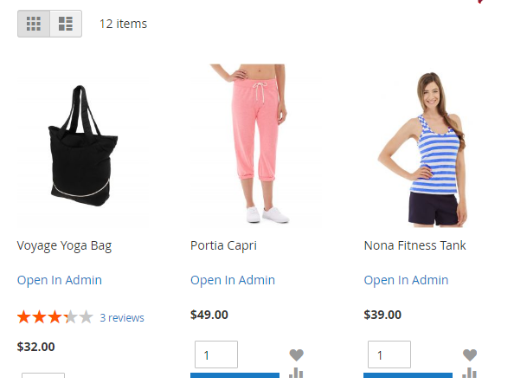
Create separate pages with your products. Display images, text or content from cms blocks above and below products list.
- Improve your store seo - each page has unique url and meta information
- Create as may landing pages as you want
- Show products selection on cms pages or above products category
- Increase sales conversion. Let your customers see exactly what they want
- Create custom breadcrumbs structure per each landing page
- New! Full Magento 2 Sitemap support
Using this extension you can quickly attach links to downloadable items from your dropbox folder and add new one right from magento
- Get direct links to downloadable file stored in dropbox
- Add new downloadable file and store it in dropbox right from web-browser
- Use all benefits of cloud storage: performance, stability and low cost of data storage
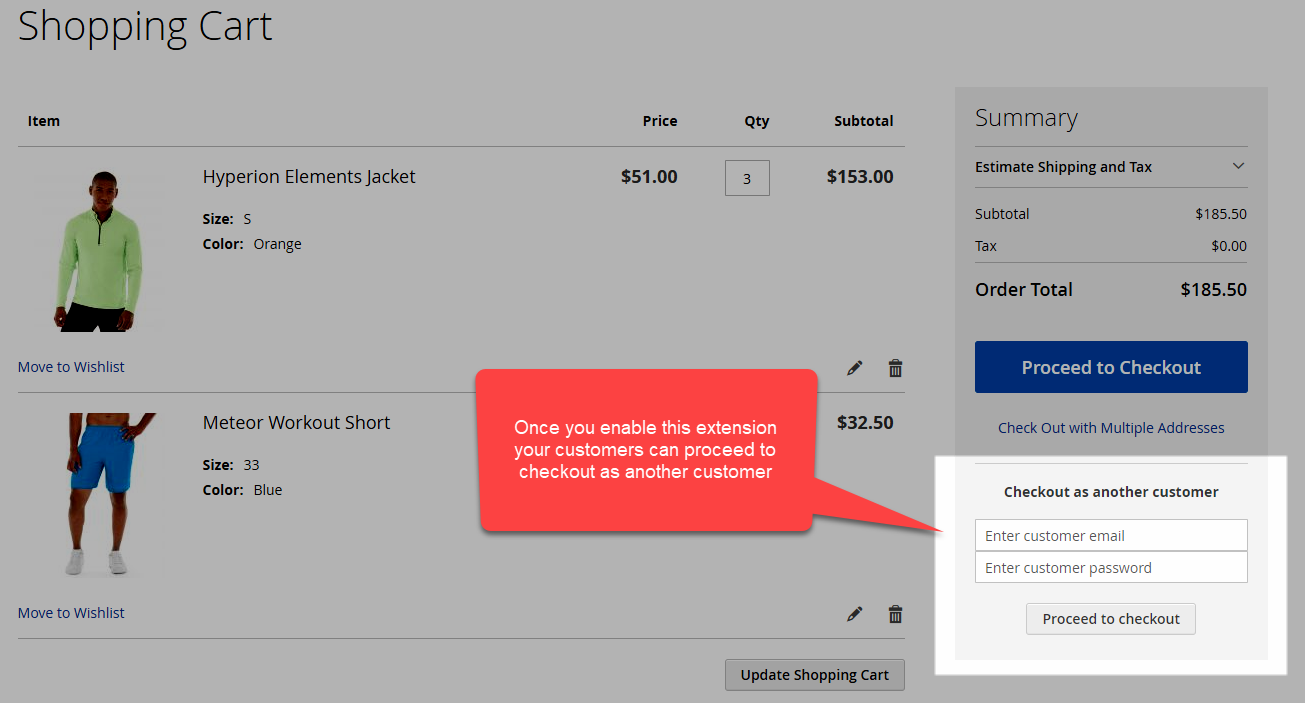 Let your customers copy cart and checkout under different customer accountThis easy to use recent extension allows you to
- Place Call Me Back form on your web-site and receive requests from your customers and web-site visitors
- View history of requests in administration panel
- Process requests in administration panel, assign comments to each request after performed action
- Receive email notifications about request to specified email addresses
- And it's possible to receive requests to your phone via SMS.
With this extension you can add and manage notes on your customers and
- View notes about customer on customer edit page and any order related to this customer
- Display some comments to customer on his or her customer dashboard page
- View list of all notes added to customers by specific manager
- Assign notes to multiple customers at once
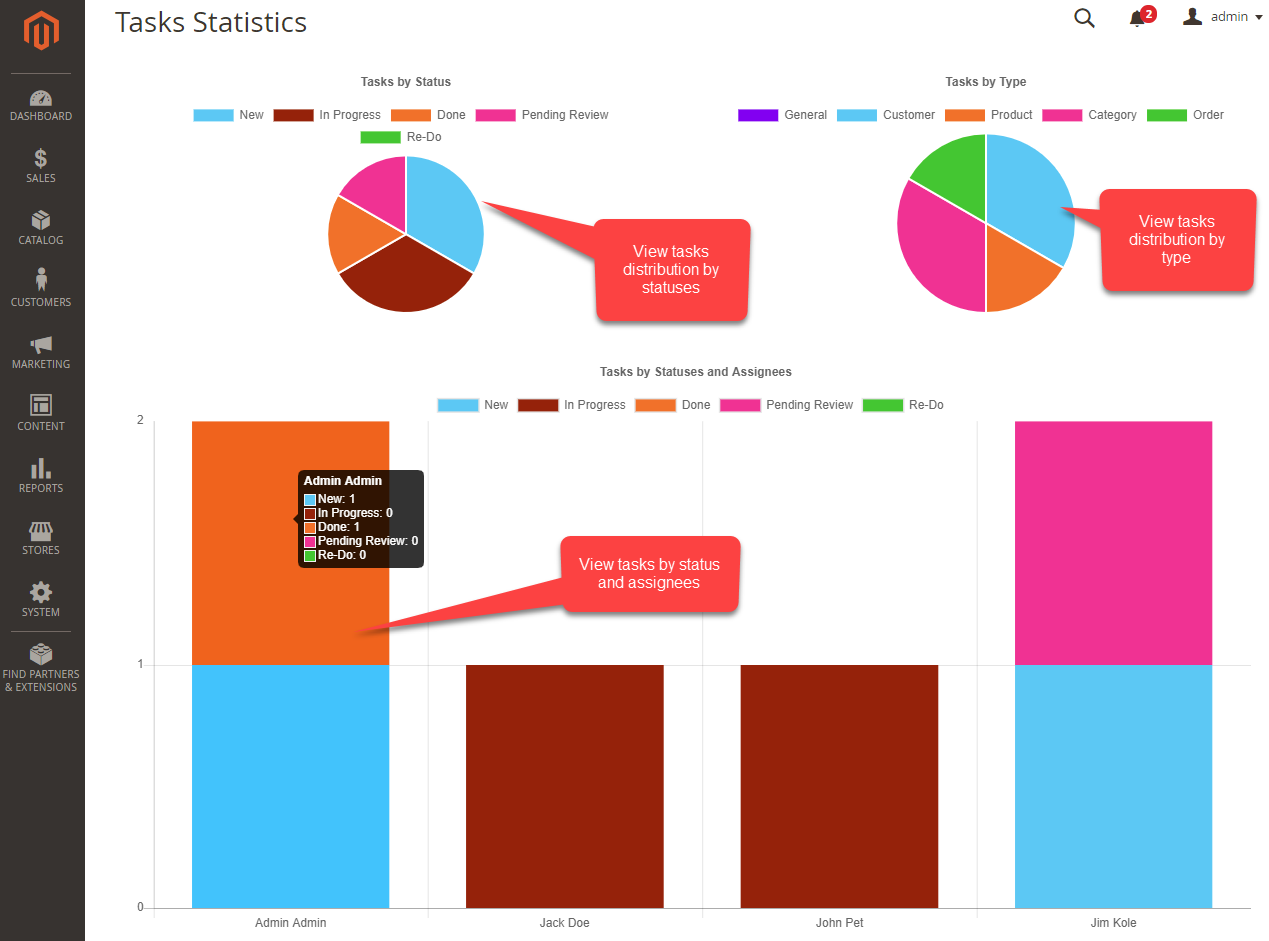 With this extension you can add and manage tasks per customer, product, order or category
- Create / Edit various tasks related to
- Order
- Customer
- Product
- Category
- Set deadline and assign responsible employee
- Let your employees view assigned tasks and set tasks statuses
- Overview tasks breakdown by types, statuses and employees
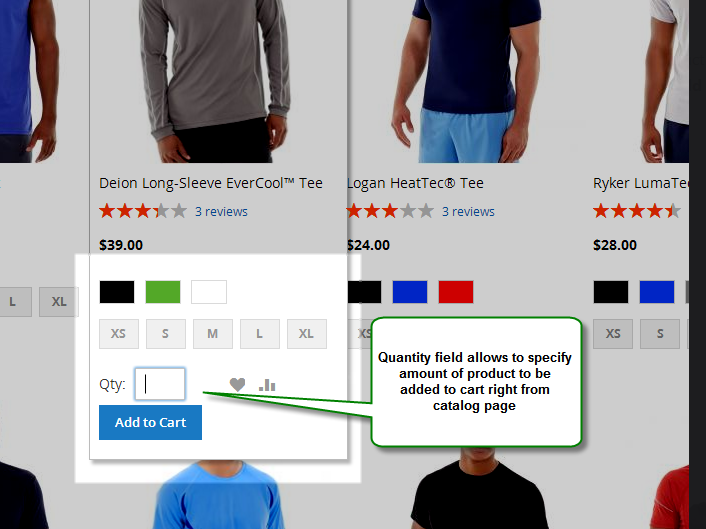 Let your customers add selected products to cart in specified quantity easily
- Your customers may specify at catalog page quantity of product they want to purchase and add specified quantity of products to cart
- Extensions allows configurables to be added to cart in selected configuration right from catalog pages
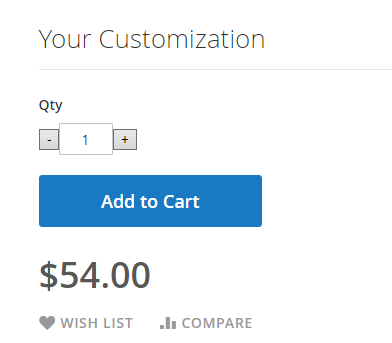 Now your customers may specify product quantities using mouse only
It works well for:
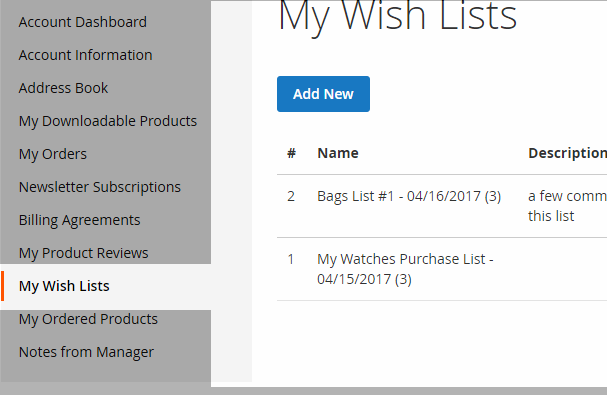
Let your customers create multiple wishlists / lists of purchases for products in your store
Let your b2b and wholesale customers view products like spreadsheet, no images, no description, only required information: name, price, msrp and add to cart button Let your customers view more products in your store without clicking on pagination links
View our awesome demo here
With this extension you can send SMS to your customers and employees right from magento backend
- Send Bulk SMS to selected customers or orders
- Send "Thank You" SMS automatically to customer on new order
- Get notifications about new order via SMS: you may specify your own template of sms you'd like to receive
- Send SMS via popular SMS gateways like twillio, bulksms, clickatell and more
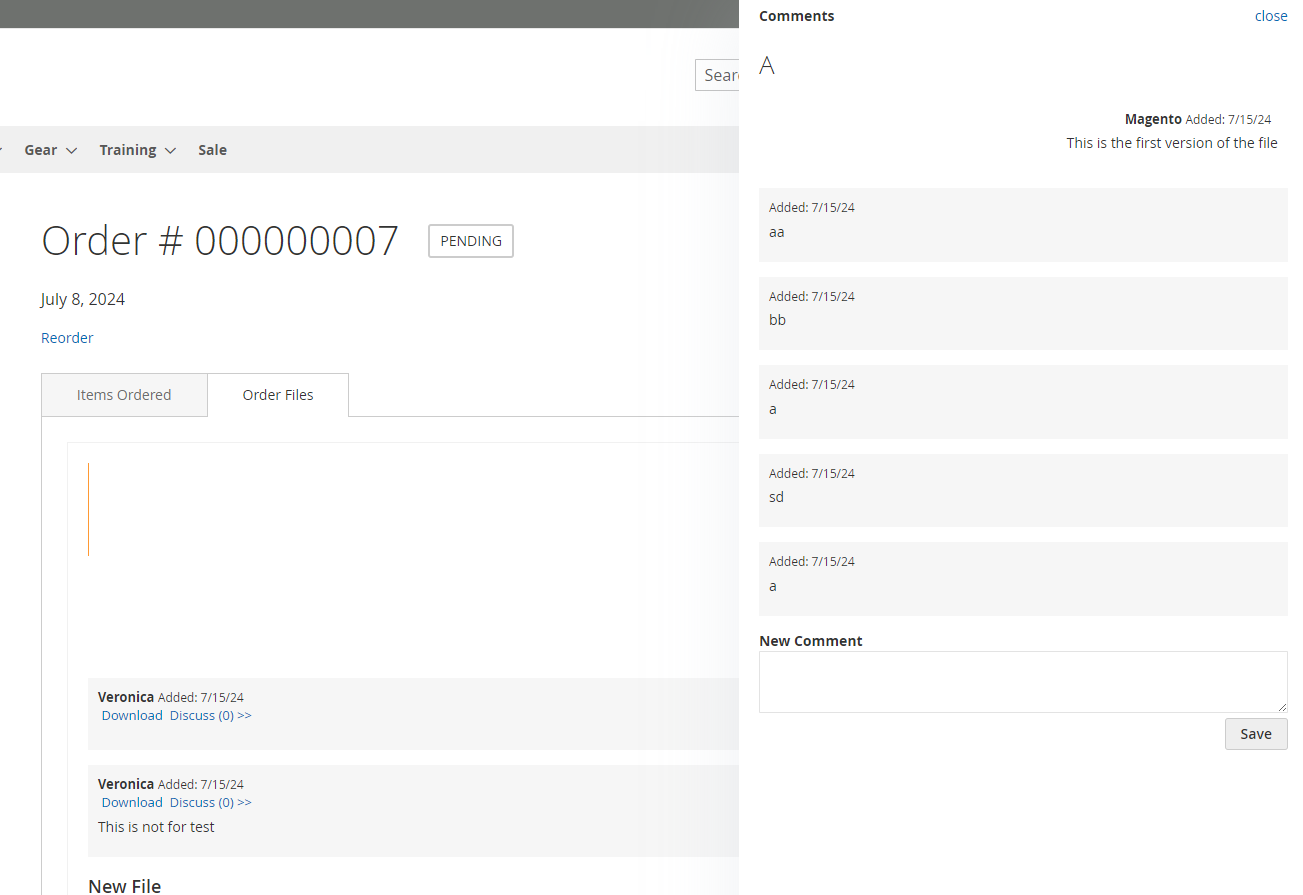
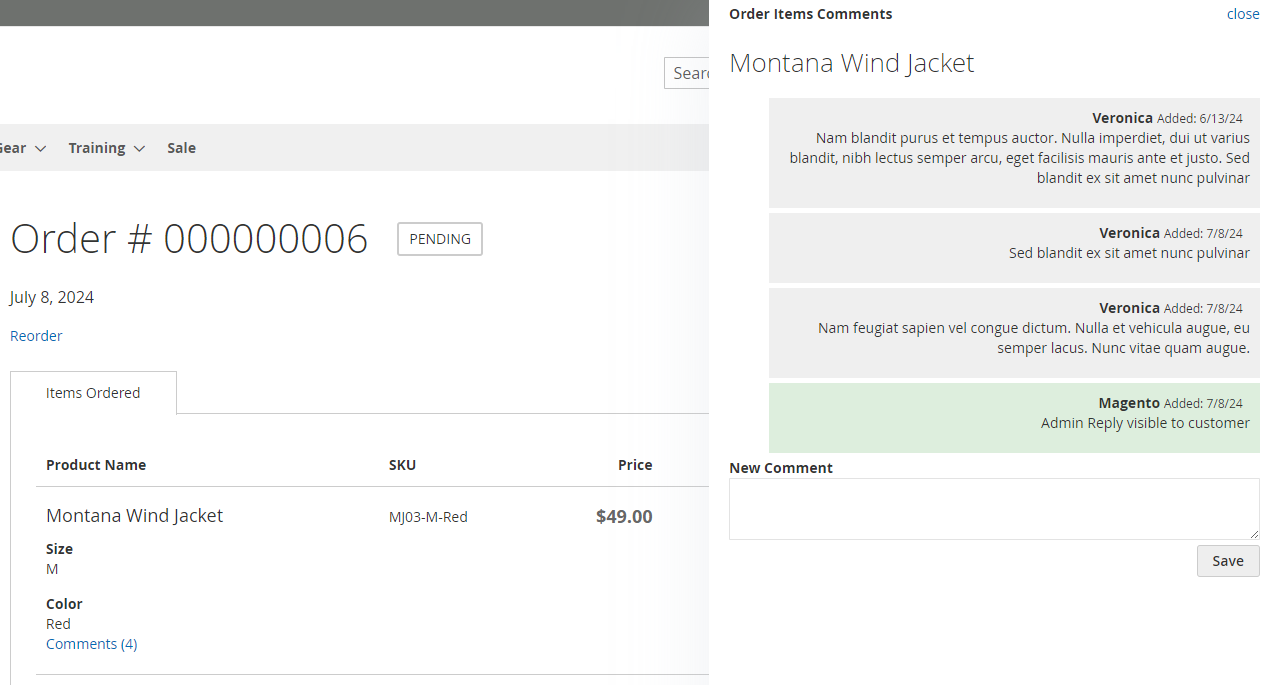 Now your customers may leave comment per each item in order and your store staff view them at order view page
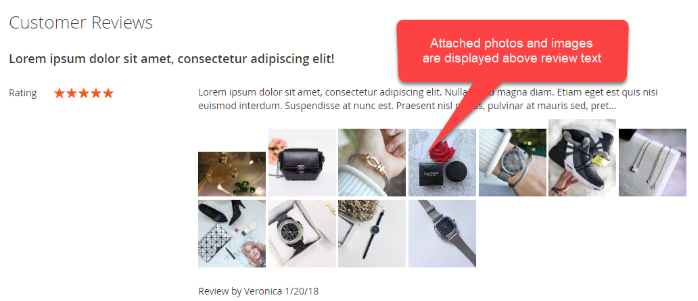 Let your customers attach images to their product reviews
- As result your potential customer will get more confidence they're planning to buy proper product
- Existing customers can share their own experience related to using your products
Take a look on how product reviews pages looks now with attached images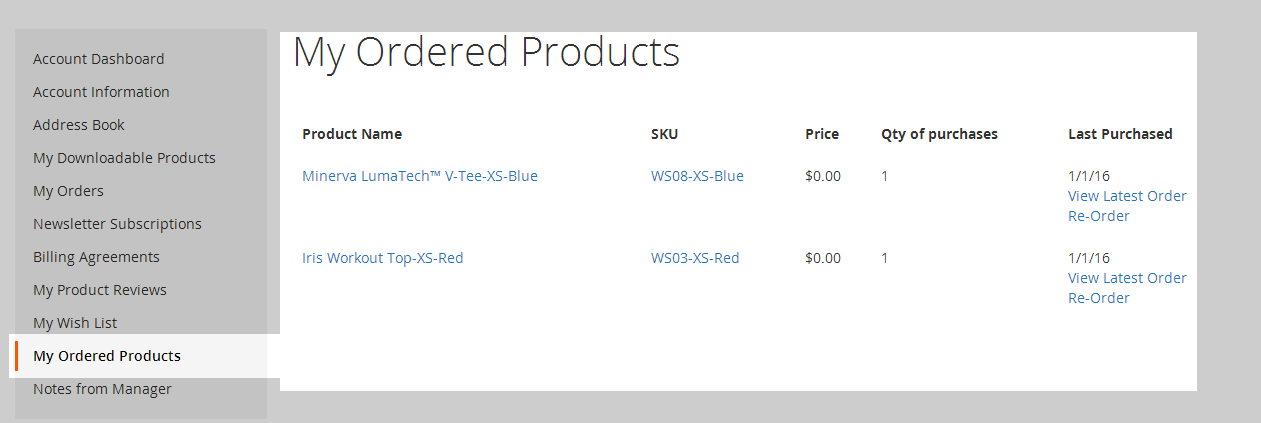 With this extension your customer can view list of previously purchased products and
- Add product to cart in the same configuration as product was purchased
- Full support of simple, configurable, bundle and grouped products
Now your customers may download files you attached to their orders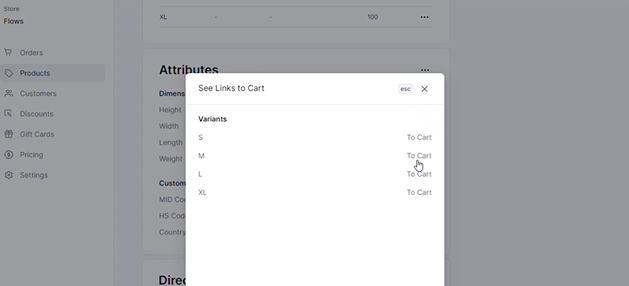 Get Direct Links to your products that can be added to cart
What you get
- Plugin Source Code
- Setup instructions
- Installation Service
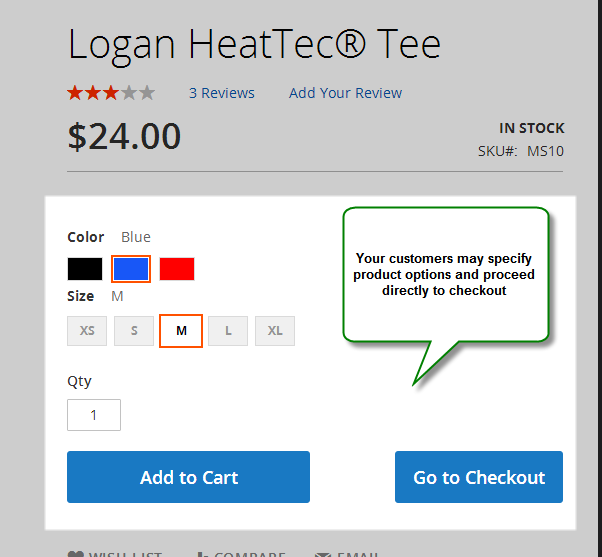 Using this simple extension
- You may place "Add To Cart" links on third party web-sites: facebook, twitter, pinterest etc
- You may bring customer right to checkout step after adding product to cart and skip "Cart Overview" step